
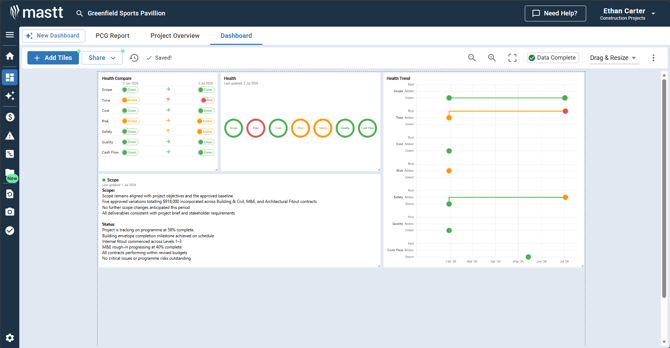
Dashboard health tiles help you monitor and display your project's health across seven key categories. Use these tiles to manually track project status and communicate health updates to stakeholders visually on your dashboard.
Health tile types
| Tile | What it does | Best for |
|---|---|---|
| Health Text | Displays detailed written commentary for a single health category. | Providing context and explanations about specific health ratings. |
| Health Rings | Shows a visual overview of all health categories using color-coded rings (red, amber, green). | Quick visual assessment of overall project status. |
| Health Compare | Compares health ratings between two specific time periods. | Showing progress or changes over time. |
| Health Trend | Displays health trends over extended periods with historical data. | Identifying patterns and long-term project health trajectories. |
Seven health categories
Mastt tracks health across these standard categories:
- Scope
- Time
- Cost
- Risk
- Safety
- Quality
- Cash flow
When to use health tiles
Use health tiles when you need to:
- Provide visual project health updates for stakeholders
- Track health changes over time
- Document health commentary and context
- Create executive dashboard views
Get started
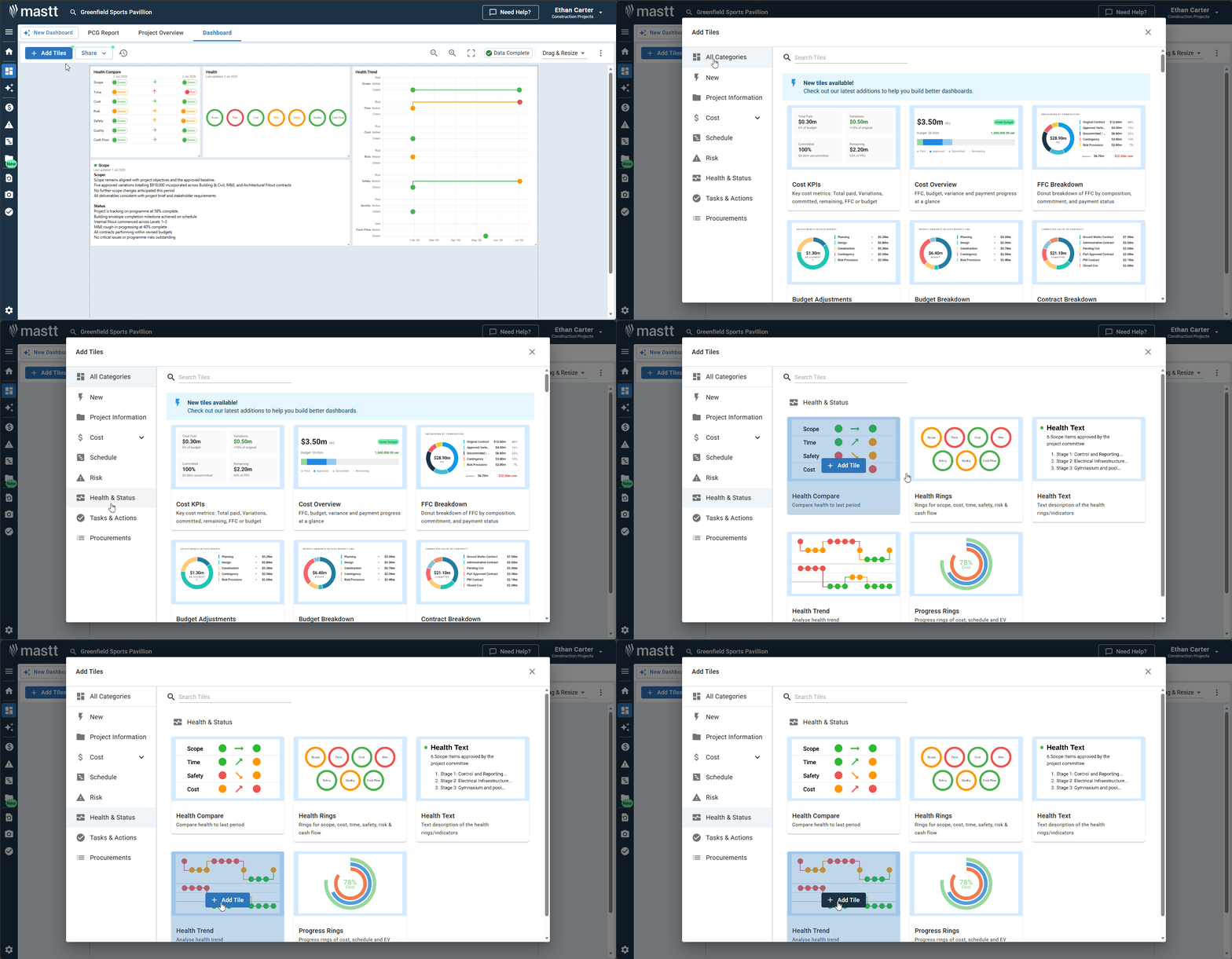
- Click + Add Tiles on your dashboard.
- Select Health and Status from the tile library.
- Choose your preferred health tile type.
Tip: For the full setup and configuration guide, see How to Add and Configure Dashboard Health Tiles.
Need help?
Contact Mastt Support for additional assistance with dashboard health tiles.